1
Plants across many portals
Customer sites are spread across different manufacturer websites.
For solar companies in Malaysia
Stop jumping between inverter portals. Review generation, reported plant status, and plants needing attention in one workspace.
Compatibility depends on your portal, account access, and region.
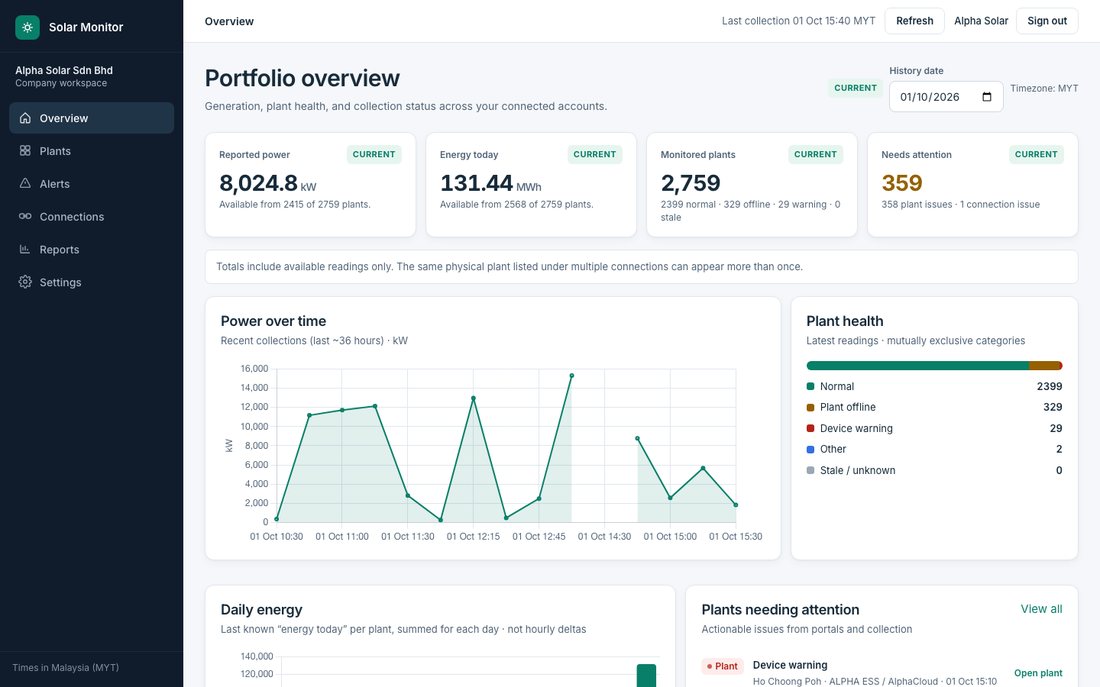
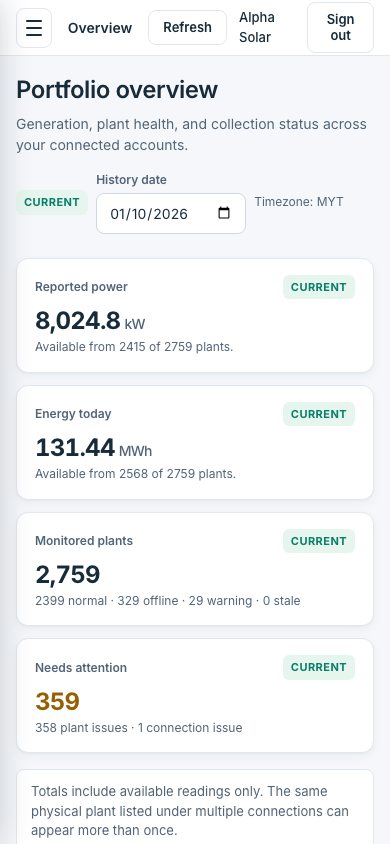
Customer sites are spread across different manufacturer websites.
It takes repeated checks to see which sites need follow-up first.
Status, generation, and timestamps live in different places when you prepare a customer call.
Product
Generation, plant counts, and reported status across connected accounts — with timestamps for the latest collection.
Separate plant warnings from connection problems. AI tips help prioritize follow-up before you call a site.
Hourly AI summaries of power, health, and issues — so your team stays informed without opening every portal.
How it works
Share your brands and regional portals.
Add supported connections with encrypted credentials.
Schedule how often each portal is collected.
Use one dashboard — plus optional hourly WhatsApp AI digests.
Some portals need initial verification or occasional reconnection. Passwords are never collected on this public form.
Portal compatibility
Tell us your brands and regions. We confirm the supported connection and available data for your accounts.
iSolarCloud (HK / international English) connector implemented.
SOLARMAN Business (pro.solarmanpv.com) connector implemented.
FusionSolar SG5 region connector implemented.
eKeeper International connector implemented.
S-Miles Cloud (global) connector implemented.
Cloud Inverter connector implemented.
NEPViewer connector implemented; may require periodic re-authentication.
Hypon.Cloud connector implemented.
OSS Global connector implemented.
AlphaCloud connector implemented.
No collection connector yet — request a compatibility review for your SolisCloud region.
No collection connector yet — request a compatibility review for your SEMS portal.
No collection connector yet — request a compatibility review for your Sunny Portal account.
Availability reflects implemented connectors in this application. Results can still vary by region, portal variant, account permissions, and verification. Brand names identify portals only — not partnerships or endorsements.
Trust
Users only see their own company’s connections and plants.
Stored usernames and passwords are encrypted and not shown again after save.
See when information was collected before you follow up.
Optional digests summarize generation, plant health, and what needs attention — written with AI from your latest collection.
Manage connections in the product. Collection depends on portal availability and access.
Brands marked Available have an implemented connector. Under evaluation means we need to review your portal and region first.
Supported connectors target the international portal variants used by the product, with English where the portal provides it.
Intervals are configurable per connection. Collection is scheduled — not continuous real-time streaming.
Collection pauses until an operator completes verification or reconnection on a secure operator host.
No. Labels come from the source portal’s reported status. They help prioritize follow-up; they are not physical diagnosis.
Yes — history collected by Solar Monitor appears in charts and plant views. That is separate from any longer history that exists only inside a manufacturer portal.
Yes. Enable hourly WhatsApp reports for your company and set a destination number. Solar Monitor builds a short AI summary from the latest collection (power, energy, alarms, offline plants) and sends it on the hour. Requires WhatsApp Business API setup by the operator.
AI turns portfolio numbers and plant issues into a concise WhatsApp digest and on-screen tips for alarms and collection problems — so your team gets clearer next steps without reading every portal.
Yes. Each company gets its own private workspace.
Request a demo below. We review your note and arrange a demonstration — this is not an instant calendar booking.
Contact us to discuss your portfolio, supported portals, and monitoring requirements.
Request a conversation
Tell us about your portfolio and portals. We will review compatibility and discuss a demonstration.
Or email info@shezabot.com.